Interactive
home tours,
tailored for you.
Experience properties through immersive, high-definition walkthroughs that offers your clients a seamless, 360-degree journey, transforming a simple viewing into a lasting emotional connection.

WIN MORE
+74%
MORE CALLS
+95%
MORE OFFERS
+71%
HIGHER PRICE
+9%
What is Real360?
Real360 - developed by Real Estate Analytics, is designed to facilitate the marketing and sale of properties for agents. It offers a wide range of services related to Virtual Tour - from professional photography and videography to sophisticated Virtual Staging.
What is a Virtual Tour?
A virtual tour is an immersive digital representation of a physical location, which enables remote exploration and interaction with the property as if one were present on-site.
How can a Virtual Tour benefit your property sale?
Create immersive experience for your clients

Save time and travel cost for both you and your clients

Showcase your property in details & receive genuine enquiries

Stand out from other listings that are without virtual tour
Why choose


Affordable and professional

Free 1 year hosting

Fast delivery

Dedicated customer support
Virtual Tour Options & Pricing

From as low as
$98
 Includes Virtual Tour Link & Snapshots 2-5 working days delivery Free 1 year REA hosting (extendable with charges) Point-to-point walkthrough effect 2D floor plan view 3D dollhouse view Available add-ons

Not sure which one
suits your needs
best?
What is the process of buying Virtual Tour?
Complete payment for the Virtual Tour Credit
Book & Manage your
Virtual Tours in RealAgent app
View past virtual tours, manage appointments, and access other data features in one app
Download
 by REA



Elevate your Online Property Marketing with Real360 Services
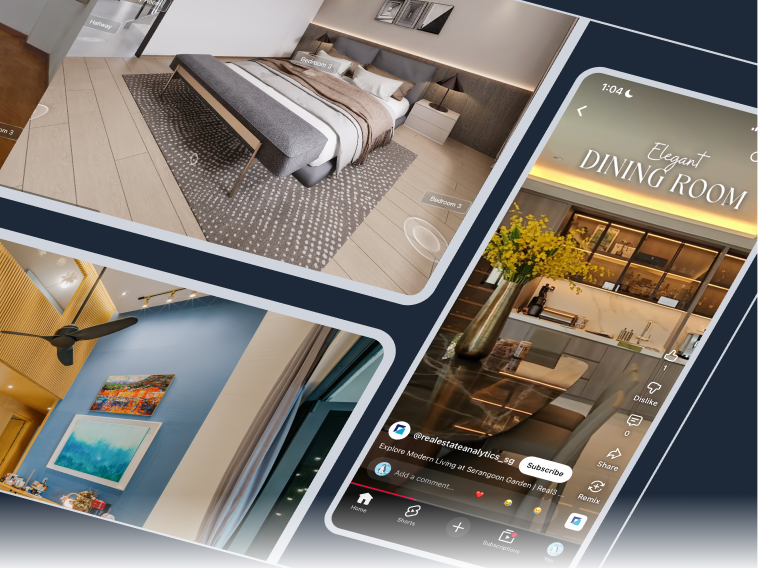
Marketing Content Kit
with comprehensive kit of Virtual Tour, photography and videography.
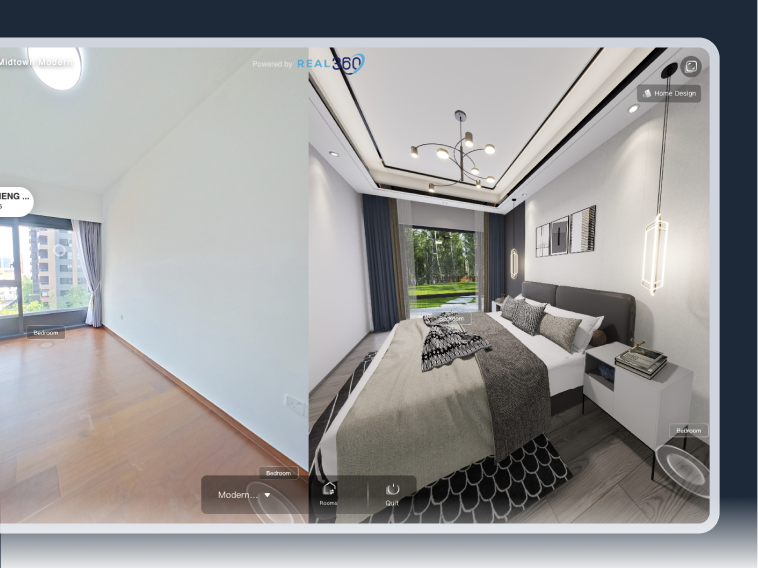
AI Virtual Staging
spaces into beautifully
styled homes.
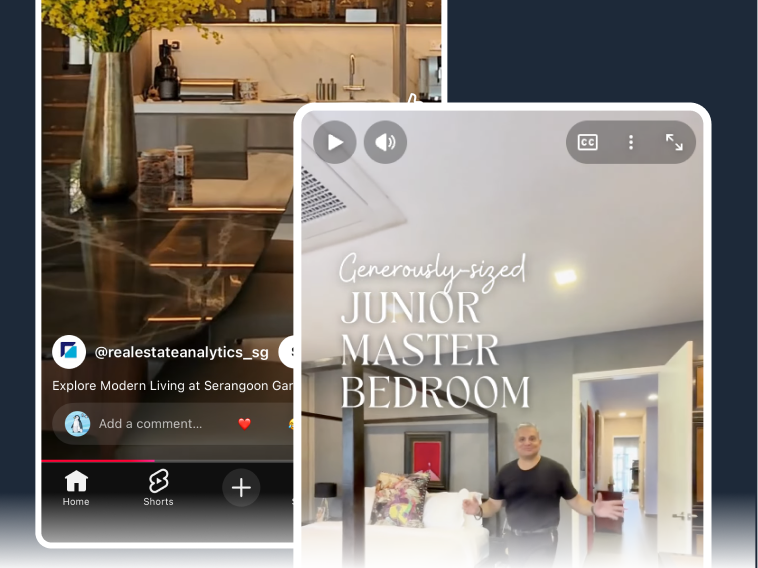
Spotlight Reel
with a short video reel, perfect
for social media.
Our clients










What do they say?

The process of having the 360° virtual tour done for my marketed penthouse unit was quick and easy. The team came on time to capture the 360° photos needed and the virtual tour was ready for use at the end of the day. The value of virtual tour comes from the greater convenience it brings to potential buyers. All in all, the service provided by Real360 Team was exemplary and would recommend to any agents.
Edwin Tay
PropNex
It was a smooth job done by Real360 Team; from booking of slot, actual site recording to delivery of video. All went smoothly. Will definitely recommend & engage them for my other listing.
Felicia Teo
PropNex
I highly recommend using the Real360 service to other fellow agents. The whole process was fast and hassle-free. The guys who came to take the 360° photos finished the job in less than an hour and the end product of the 360° virtual tour was out in less than 2 days, allowing me to quickly send out the 360° tour link to my prospects without much down time.
Peggy Lim
PropNex
Good quality and will use again in future
Augustine Ling
OrangeTee
Professional & Friendly videographer on site. Virtual layout plan is a plus. Overall strongly recommended.
Johnny Goh
Dynamic Assets Consultancy
It is very well done :thumbsup:
Faith Chua
KF Property Network
Frequently Asked Questions
In addition, you are given the choice to upload your profile picture to be displayed together with your name and contact number, these will be displayed on all of your Virtual Tour with us. When clicking onto your display tag, your clients will be given an option to call, WhatsApp and save your contact details. This feature will be offered free-of-charge to all agents. If you would like to hide them, do contact our customer support for assistance.
There are 2 ways to book and manage your Virtual Tour scan appointments:
1. On Real360 website:
- Log into your account
- On the top menu bar, select "Manage Booking", then choose "Scheduler"
- Under "Unscheduled", you will find the list of unused Virtual Tour credits
- Tap on the one you would like to use
- Enter the property details, choose the date and time for your appointment under "Choose from calendar"
- Choose "Save Schedule" when you have finished all the steps
- An email confirmation will be sent to your registered email address
- Our capture technician will be in touch with you closer to appointment date
2. In RealAgent app:
- Log into your account (same credentials with your Real360 account)
- Select "RealVision" on the menu bar at the bottom
- Select "Book Now!" and go to "Scheduler"
- Follow the same steps as booking on Real360 website
Watch the tutorial video here.
Can't find your question? Browse our FAQs here